
I’ve seen some rubbish presentations with PowerPoint. I mean some absolute horrors, almost as bad as some of these.
Apparently, lots of us are poor at using Powerpoint. It has become synonymous with dry, lecture style content, wordy slides and crass images.
Confession time – how many of you reading this blog post still create slides like this:
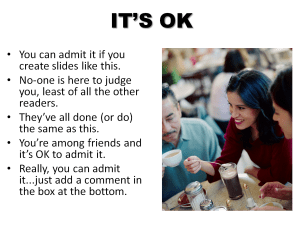 Go on, admit it.
You’re asked to create a presentation and our default is to create a title slide.
Next it offers up an opportunity to add a slide of bullets with an image.
For variety, we then add an image with bullets.
And then another image with bullets. If that’s the way we’ve been shown, it’s not wrong just easy.
- crappy clipart
 overused bullets
- over FORMATTED text to make it stand out
- use of too much text on slides that act as a prompt for the presenter.
Just look at the quality of the clipart images we can use. Isn’t our work original? We have no excuse – we were taught this in the workplace when the tools were launched and we haven’t changed our ways. Our children however…
This topic has come up as my youngest son was asked to create a PowerPoint presentation as part of his science homework. I asked him when he was presenting it and he answered that he wasn’t – it was to be printed and handed to his teacher. He had to produce a minimum of 4 slides that incorporated images and text and are about the topic of natural resources.
Aside from the fact this is a waste of resources – he could have created it and sent it via email, VLE, or a cloud storage provider – it’s teaching him the bad habits of PowerPoint above.
So I sat with him and firstly showed him how to source copyright free images. We looked at the fonts he could use and how to find one he liked. We talked about colours and how he could use them to theme his work. After a bit more time than he’d usually put in he created this:

 Lost and Desperate
I’ve always tried to keep text to a minimum so the audience doesn’t read what I’m about to say, and use diagrams I’ve made myself or appropriate photos, often photos I’ve taken myself – but we did slide shows with seminar papers when I was a student, so it seems the normal way to do things.
LikeLike
[…] All Present! And correct by Andrew Jacobs. […]
LikeLike
Thanks Janet; and that’s the problem – because we expect that it seems to be the ‘normal way’ we continue with a behaviour that is nether:
a) effective or
b) enjoyable.
Isn’t it time we changed things?
LikeLike
I have to admit that some of my slides end up looking a bit like that. I leave it so late to do them I fall back into bad habits to save time. I should take more time to get them right, thanks for the useful reminder.
LikeLike
Thanks Louise. We’re too close to the work sometimes and, rightfully, are proud of it. It doesn’t need to be on every slide, it’s about taking time to edit them out properly.
LikeLike
[…] Chris (@whatsthepont) challenged us with a question Is Best Practice the Enemy of Innovation? (especially in public service) this week. Change is always quite difficult, and all the more so if current practice has been established for some time as best practice. Andrew Jacobs encouraged everybody to create presentations that look different from so many that we have all seen in training sessions or at conferences in his Week 46 post All Present! And correct. […]
LikeLike
[…] posted a while ago about the problems we have in presentations and commented on the fact that clipart was a bit, well, crappy. I also had fun representing my […]
LikeLike